PrintFarm
A local dashboard that runs a farm of stock Creality 3D printers from one screen.
PrintFarm is a local dashboard that runs a farm of stock Creality 3D printers from one screen. It discovers printers on the network, shows live status, manages a shared job queue, and lets you pause, resume, or cancel prints remotely without modifying firmware, adding Raspberry Pis, or using a cloud account.
It started with KeyForge, a kiosk that turns a typed name into a printed keychain. To get G-code onto a stock Creality printer without an SD card, I opened the printer’s built-in web interface in Chrome DevTools and traced the local protocol: HTTP for file uploads and a WebSocket on port 9999 for commands and live telemetry. That same connection turned out to be enough to control an entire farm.
Before connecting real printers, I built a simulator that copies the real HTTP upload route and WebSocket messages. It let me develop and test discovery, status polling, uploads, start/pause/cancel, and queue logic on a laptop. The simulator also became the integration-test target for the full auto-print flow.
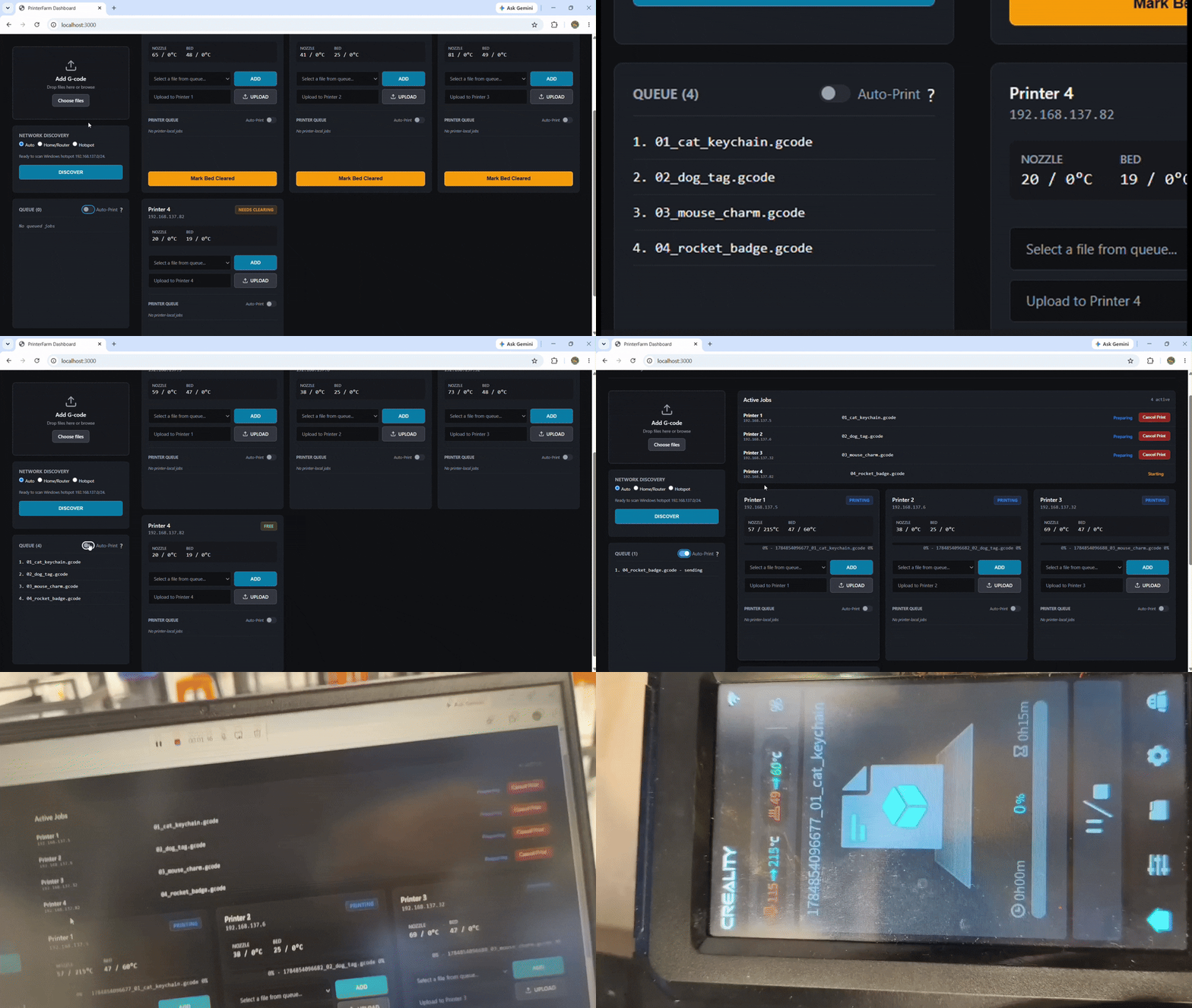
Core workflow
- See every printer’s state, temperatures, current file, layer, and progress in one place
- Drop G-code into a shared queue (or assign jobs to specific printers)
- Automatically send the next job to the next free machine
- Require a manual “bed clear” confirmation before a finished printer can accept another job
What real hardware taught me
The simulator was useful, but real printers exposed problems the fake one never showed:
- Probing every printer at once with
Promise.all()overloaded the embedded WebSocket servers. PrintFarm now probes one at a time with strict timeouts. - A start command can be acknowledged even when the printer never actually begins heating. The system now waits for telemetry to confirm the exact filename is active before treating the job as started.
- DHCP can change a printer’s IP mid-job. PrintFarm only reattaches a job when both the printer identity and remote filename match clearly. Otherwise it drops the stale job.
- Finished, cancelled, or failed prints enter a “Needs Clearing” state until someone confirms the bed is empty.
The entire application is a single Node.js program with zero runtime dependencies. It runs entirely on the local network.
Tested on the Ender 3 V3 KE. Other Creality printers that use the same local protocol should work with small adjustments for status fields or file paths.
Source code and setup instructions: GitHub Repository.
Comments & Discussions
Sign in with GitHub to join the conversation, leave feedback, or react with emojis.