KeyForge
Type a name. A stock printer starts a keychain. No slicing, no USB stick, no babysitting.
Someone types a name. KeyForge builds the model, checks that it is one solid piece, slices it, finds a free Ender 3 on the local network, and starts the print. The person at the kiosk never touches OpenSCAD, a slicer, or an SD card.
name → OpenSCAD → geometry check → STL → PrusaSlicer → G-code → queue → printer
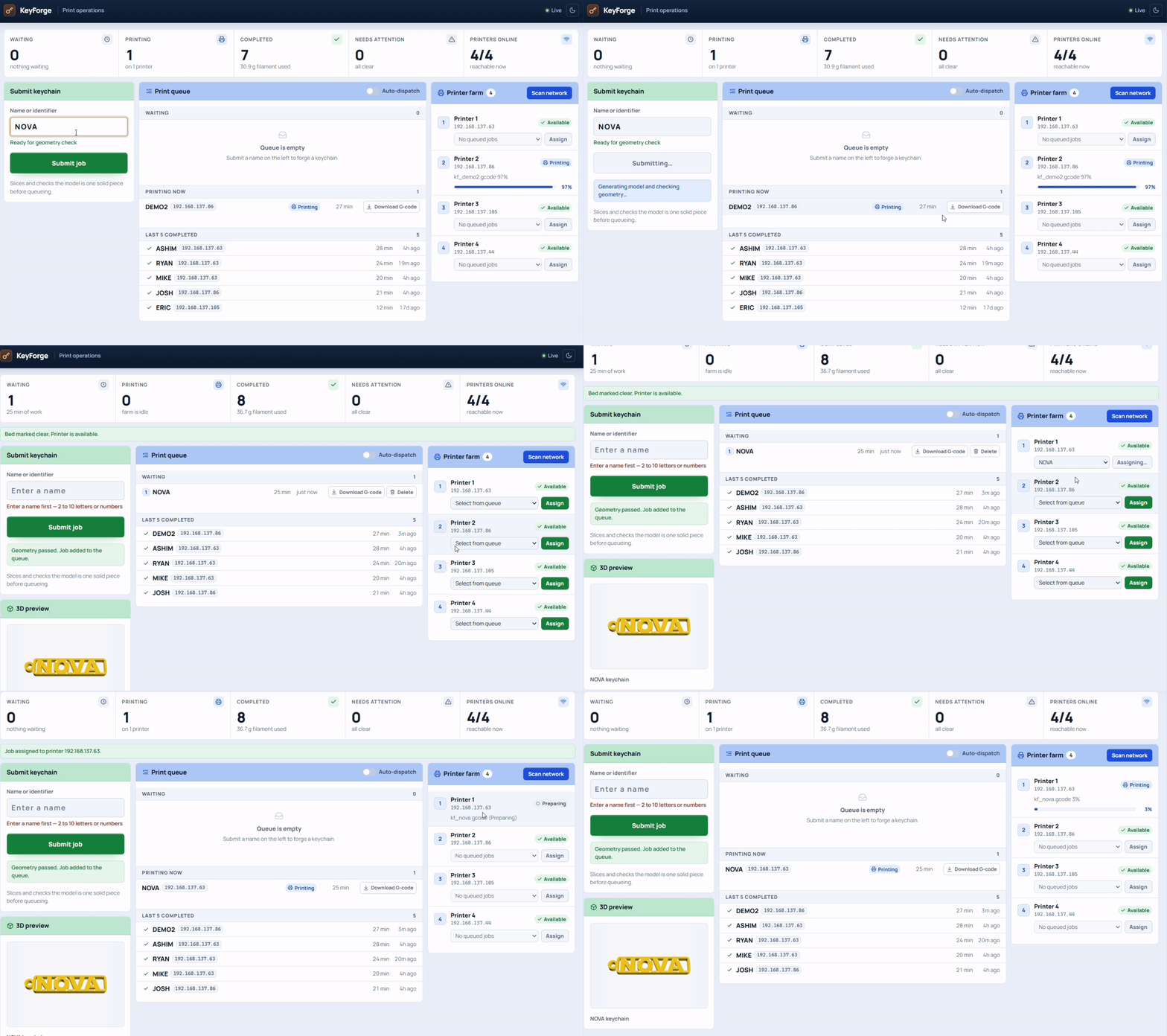
Name to a printable solid
Short names and long names need different letter spacing. The OpenSCAD template sits the letters on four connecting rails with a ring hole and raised text, so the keychain comes off the bed as one piece. Before slicing, a geometry check rejects anything that is not a single connected solid. Valid models get a custom PrusaSlicer profile for the Ender 3 V3 KE.
Then it has to find a printer that is actually free
Jobs sit in a persistent queue: waiting, printing, failed, or recently finished. Auto-dispatch only picks a printer that is online, idle, and has a confirmed empty bed. It uploads the G-code over HTTP, sends start over the printer's WebSocket on port 9999, and waits until telemetry shows that exact file as active. A "start acknowledged" packet is not enough — real printers lie.
Printer IPs change under DHCP, so KeyForge never stores them. After a restart it rediscovers machines and only reattaches a job when both the printer identity and the remote filename match.
The printer-control half of this became PrintFarm. KeyForge is the kiosk in front of it: name in, keychain out.
Tested on stock Ender 3 V3 KE printers. No firmware changes, no Raspberry Pi, no cloud account.
Source and setup: GitHub.
Comments & Discussions
Sign in with GitHub to join the conversation, leave feedback, or react with emojis.