ICLBooth
A full-screen photo-booth kiosk for Gettysburg College: customizable photo strips, AI-powered trading-card stats, and an unattended multi-display setup on one machine.
ICLBooth is a photo-booth kiosk I built for the college's Innovation & Creativity Lab. It's a single full-screen app that runs unattended all day and gives students and visitors two photo experiences: classic custom photo strips, or personalized trading cards with AI-generated stats and abilities based on a short self-description. Everything happens on one Windows machine, and finished cards and strips print straight to a photo printer without ever opening a browser print dialog.
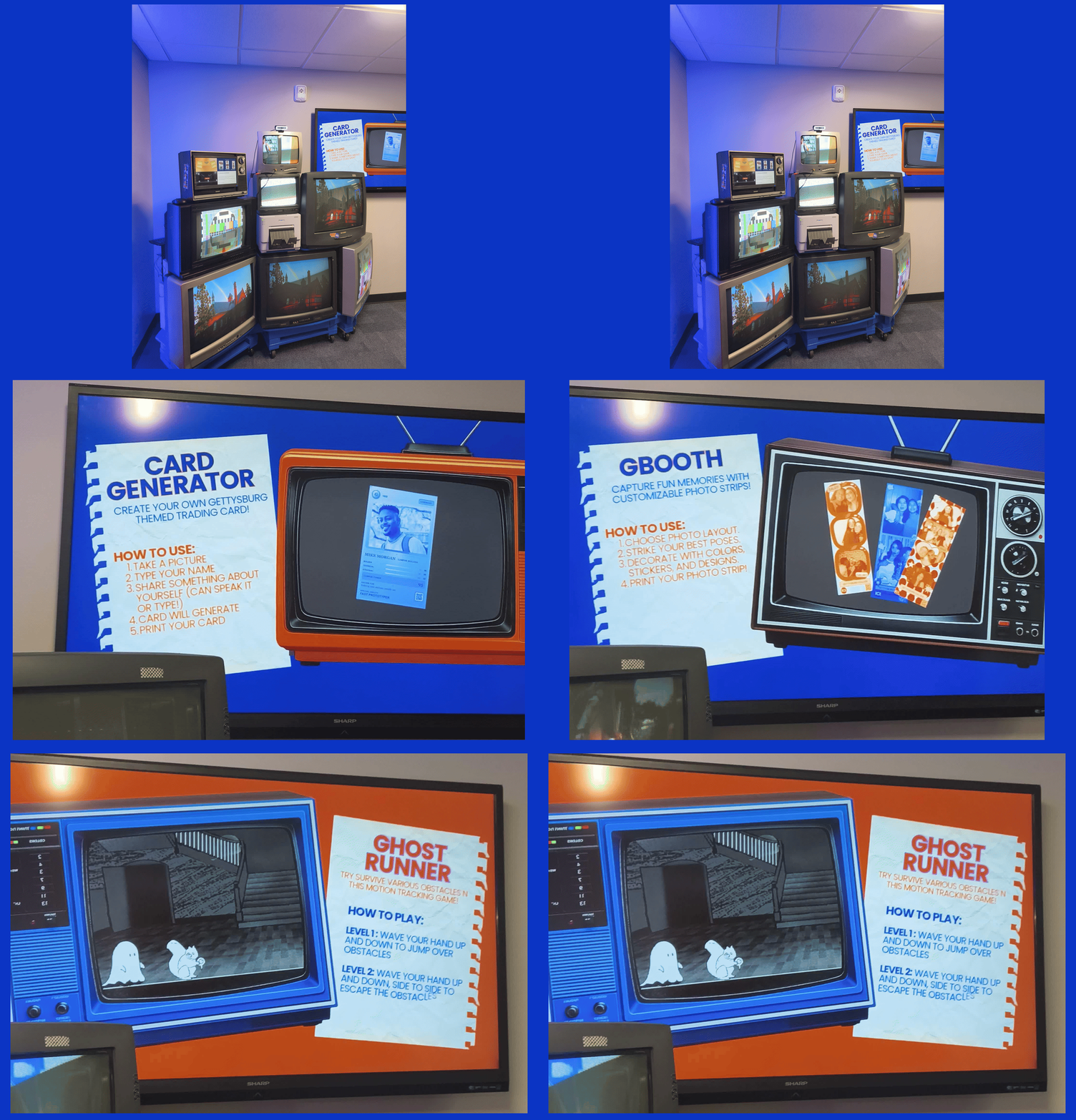
The experiences
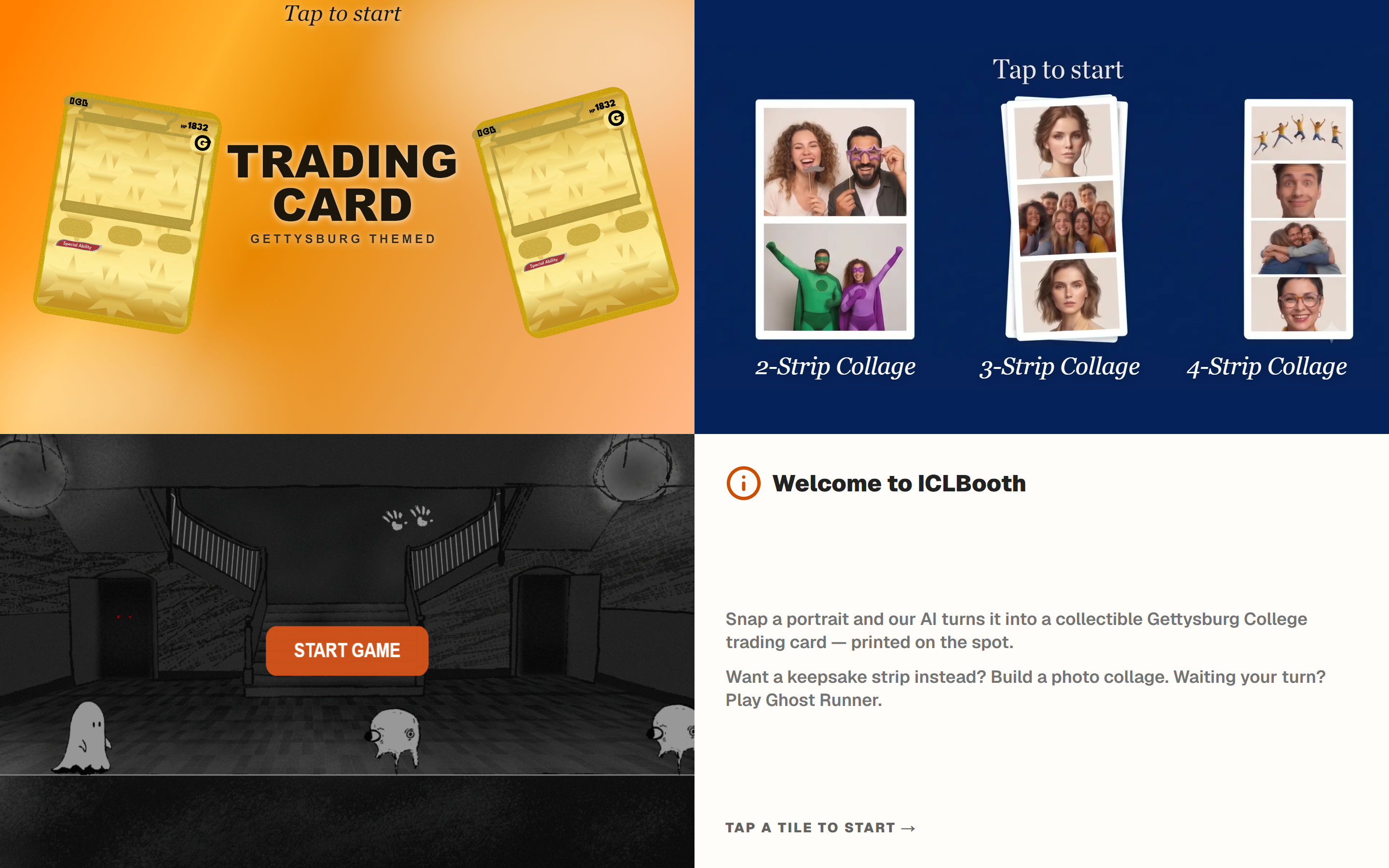 The home screen. A user picks a mode, and the booth returns here after a stretch of inactivity.
Trading card. You take a countdown portrait in front of the camera, type your name and a sentence about yourself, and the booth turns that into a Gettysburg-themed trading card: a title, three traits with scores, a rarity, a "Known For" line, and a special ability. The card text and stats come from the OpenAI Responses API, forced through a strict Zod schema so invalid responses are caught before rendering. If the API is unavailable or the response fails validation, it falls back to a local generator so the booth keeps working. The browser composites your photo with the generated stats and renders the final card to a PNG.
Photo collage. A classic photo-strip experience: two-, three-, or four-photo layouts, automatic countdowns, sequential capture, custom filters, frame colors, and draggable emoji stickers. The finished strip is composed onto a branded canvas and laid out as a calibrated 4×6 double strip ready for the printer's physical center cut.
Arcade game. A quick mini-game on the home screen that uses the same camera feed for hand tracking.
How it all connects
The physical booth separates user interaction from camera preview across multiple displays: a touchscreen for user input, a dedicated mirror monitor showing the live camera feed and countdowns, a surrounding wall of retro CRT TVs running Raspberry Pi media loops, and an instruction display.
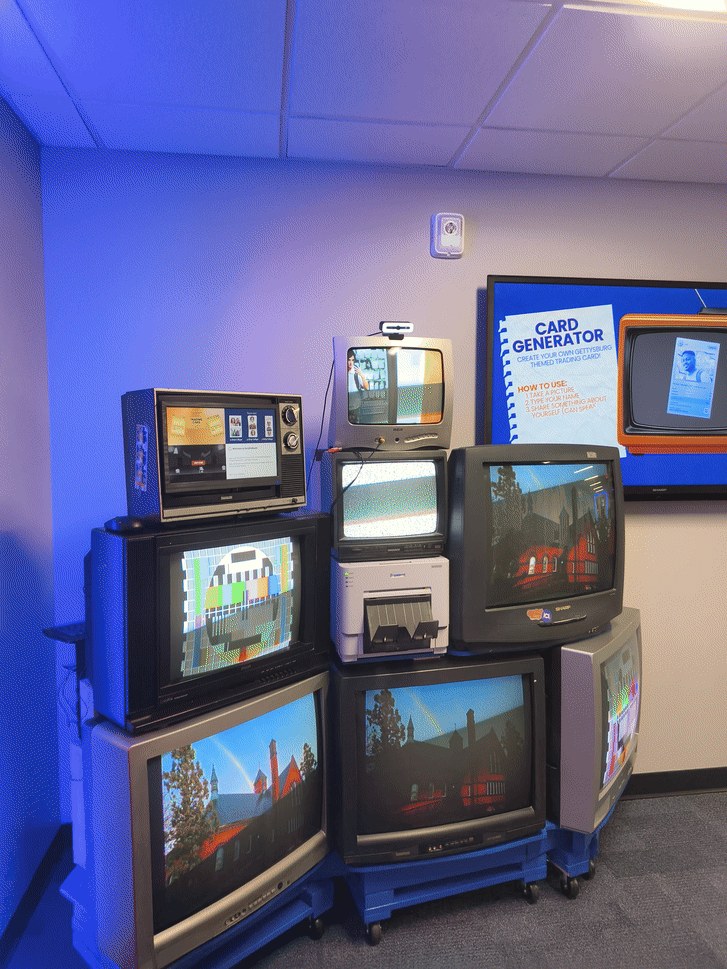 The physical booth: a wall of CRTs running Raspberry Pi presentations, the camera-feed screen near the top, the DNP photo printer in the middle, and the instruction screen to the right.
user taps  ─►  TOUCHSCREEN (controls, the flow)
                    │  "run countdown, capture photo"
                    ▼
               MIRROR MONITOR (live camera feed & pose preview)
                    │  photo returned
                    ▼
               touchscreen continues to card/strip rendering & print
Both screens are pages of the same Next.js app communicating in real time over BroadcastChannel (with an in-memory relay fallback). When someone taps "take photo", the touchscreen instructs the mirror monitor to handle the countdown and capture the high-res frame. The arcade game reads from that same camera feed, so multiple features never fight over the single webcam.
Printing & physical cutter calibration
Getting a browser app to output clean physical prints to a dye-sub photo printer had a few hardware quirks:
- Calibrating the physical 2×6 center cut: The DNP DS-RX1 prints a 4×6 sheet and physically slices it into two 2×6 strips with an internal cutter. Early test prints came out with uneven borders because the mechanical cut shaved the inner edge. I adjusted the frame templates and canvas layout so both physical strips exit the printer with clean, balanced borders on all four sides.
- Silent Windows print spooling: Browser web apps cannot talk directly to raw photo printers without popping a print dialog. A background PowerShell bridge (
print-card.ps1) takes the composite PNG from Next.js and spools it directly to the printer driver's cut queue (DS-RX1-Strips) as a calibrated borderless 4×6 job. - Inactivity resets: If a student walks away halfway through taking a photo or typing their card details, an idle timer resets the kiosk back to the home screen for the next person.
Stack & Credits
Next.js 16 (App Router), React 19, and TypeScript, with Tailwind for styling. OpenAI Responses API with structured JSON output and Zod validation for card identities, SQLite via better-sqlite3 for metadata, html-to-image for card export, HTML Canvas for the collage, and PowerShell for the Windows print path.
- Design & UI Artwork: Chloe Bretous
- Arcade Game (Ghost Runner): Raiyat Haque
Setup, kiosk configuration, and operational notes are in the GitHub repository.
Comments & Discussions
Sign in with GitHub to join the conversation, leave feedback, or react with emojis.