Jack
A makerspace assistant grounded in the lab's equipment manuals and setup guides.
Students get stuck on setup while staff are busy. Generic chatbots specify the wrong printer and the wrong temps. Jack walks you through our Ender and Janome one step at a time, with the lab's own photos and clips in the step. If the manual doesn't cover something, Jack simply says it doesn't know instead of guessing.
The project is named after Clarence B. "Jack" Rogers Jr., the alumnus whose donation helped establish the lab.
Workspaces for the lab and specific machines
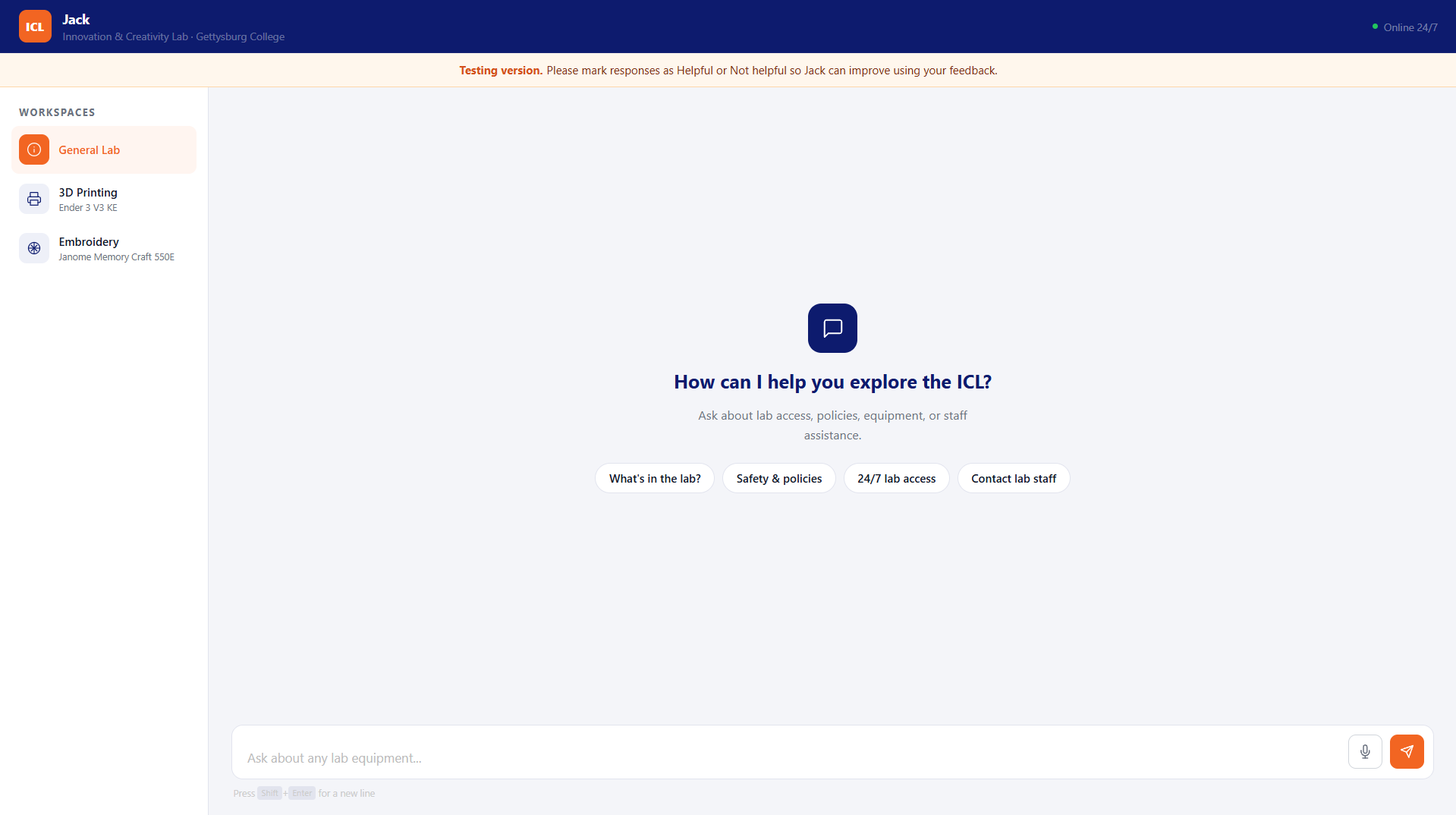
Jack organizes knowledge into three workspaces: the General Lab (policies, safety, and all equipment) and dedicated workspaces for the Ender 3 V3 KE and the Janome Memory Craft 550E. Selecting a machine scopes retrieval strictly to that tool, so asking about fabric hooping never accidentally pulls 3D printer advice.
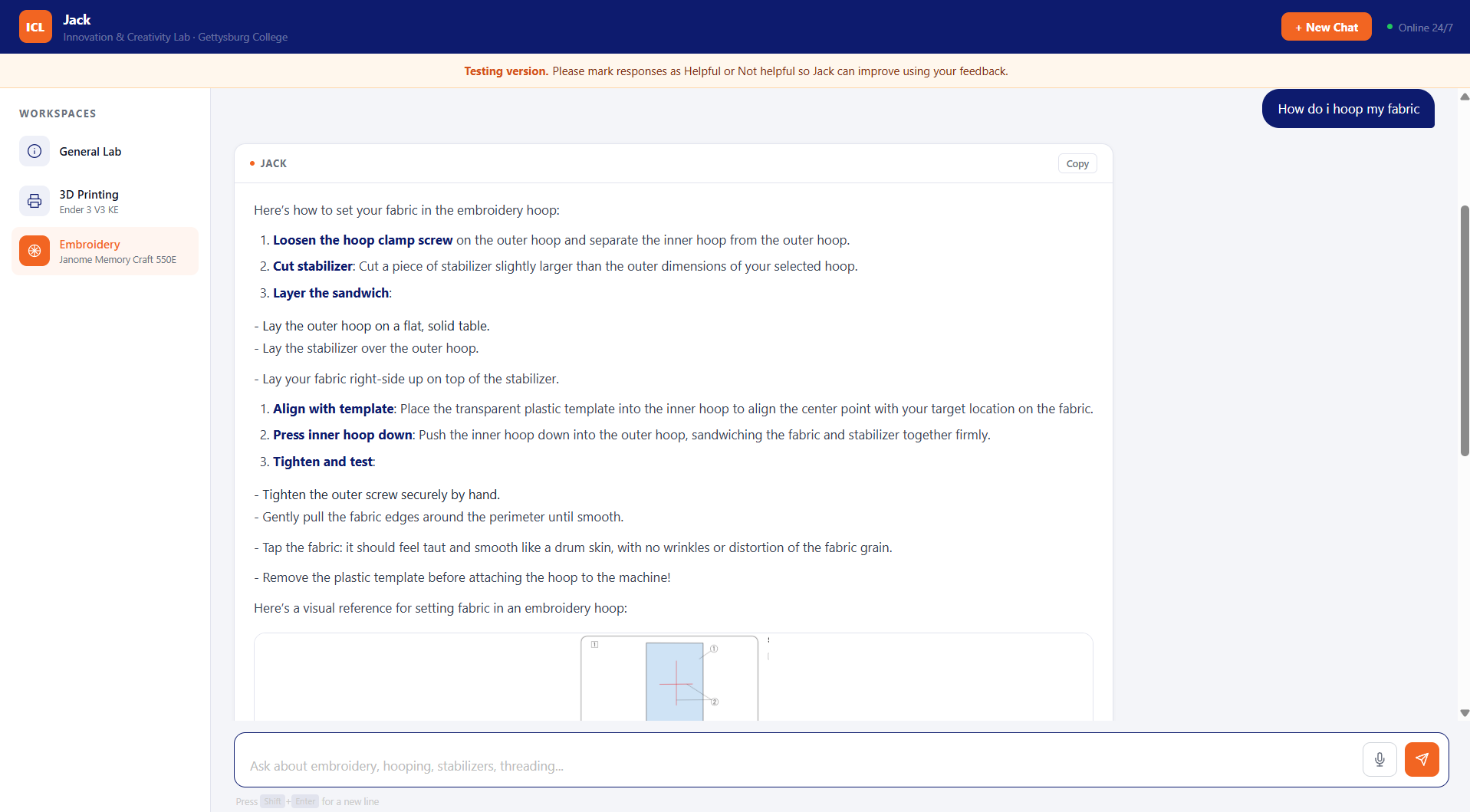 The embroidery workspace, pulling verified hooping and stabilizer steps written specifically for our Janome machine.
Step-by-step guidance at the machine
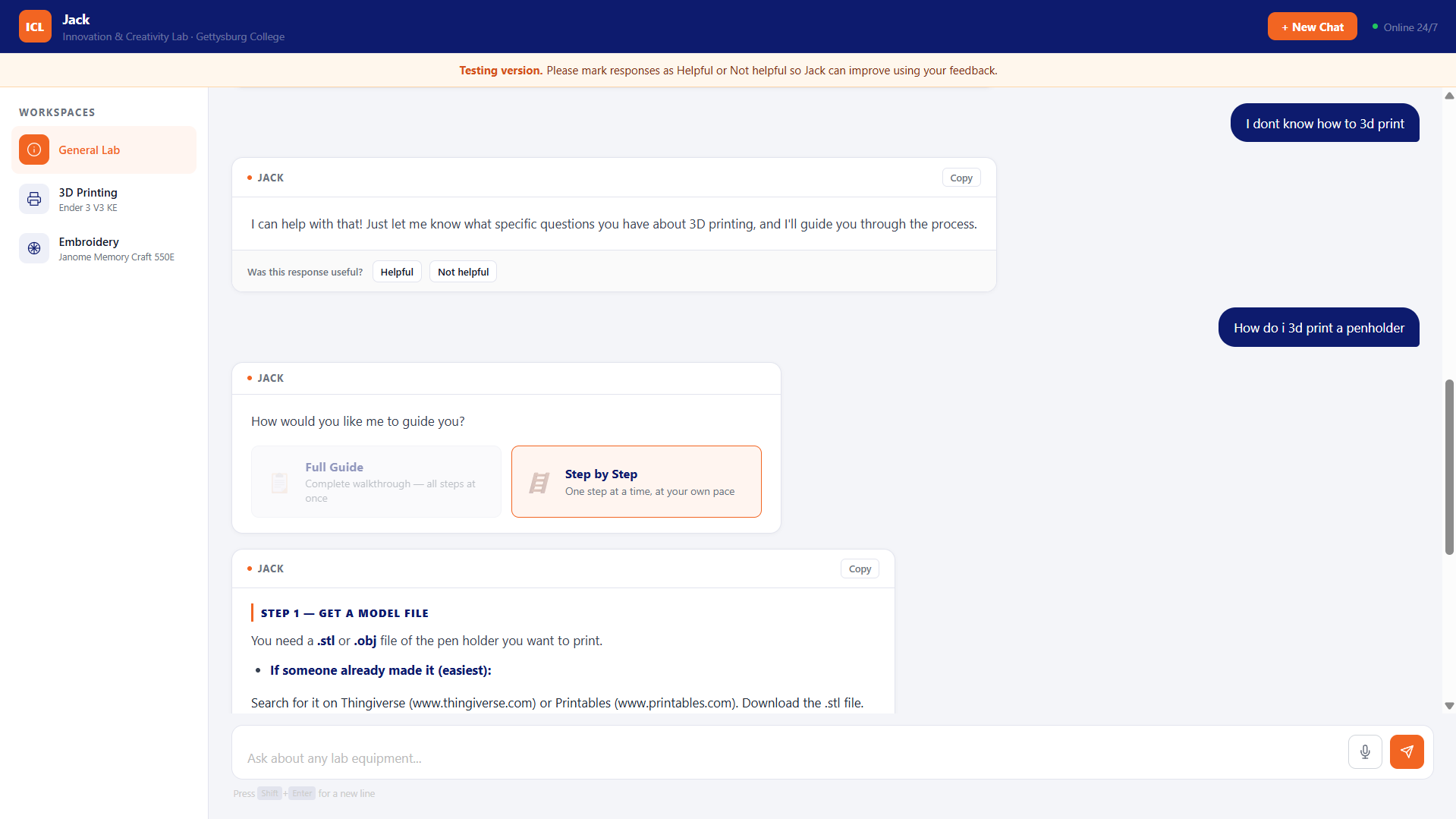
When a beginner asks a broad question like "How do I 3D print?", Jack asks what they want to make and offers a choice: seeing the full guide all at once, or stepping through action-by-action.
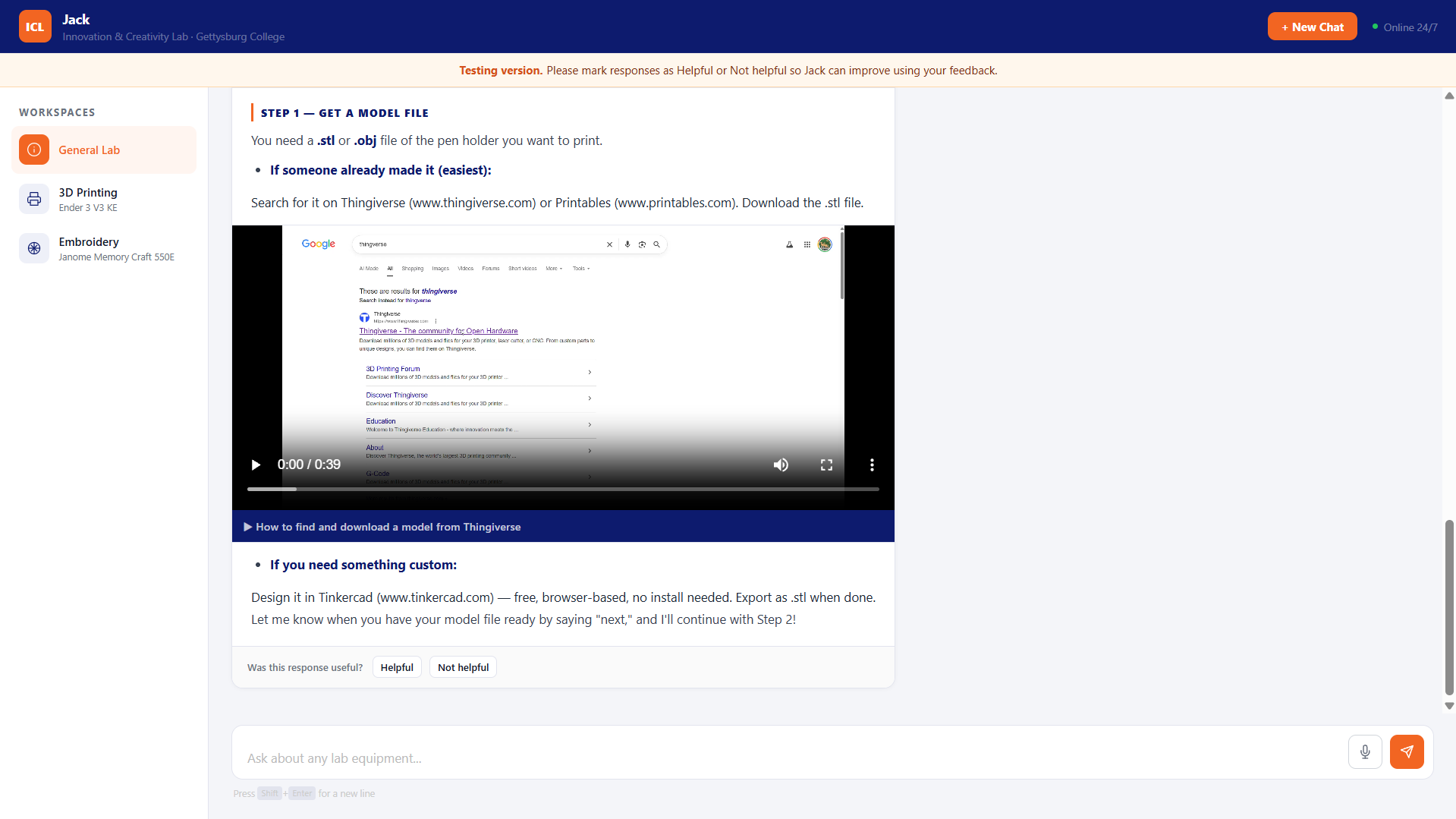
In step-by-step mode, the assistant presents one physical action + the lab's own clip or diagram, then waits for the student to confirm before moving to the next.
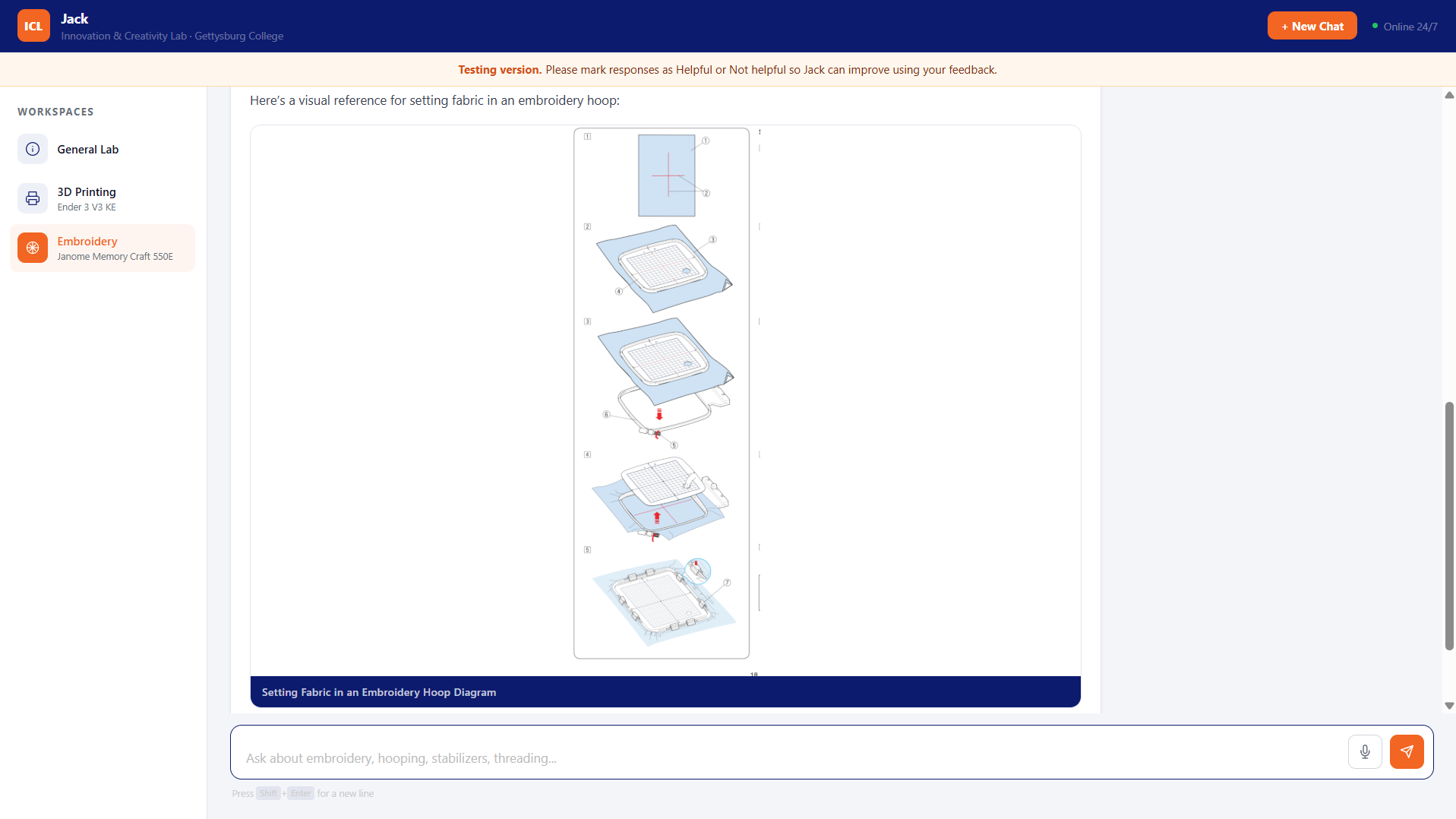 Physical tasks like bed leveling or hooping fabric are paired directly with the manual's visual diagrams.
How it's wired
- Lab manuals: Equipment guides are maintained in Markdown, indexed into Supabase Postgres with
pgvector, and retrieved using GPT-4o-mini with answers streamed via Server-Sent Events. - Inline media: Video and diagram references stored inside the documentation Markdown (
[VIDEO: url | label]) are extracted client-side to render responsive players and schematics inline. - Current coverage: Jack currently covers the Ender 3 V3 KE 3D printers and the Janome embroidery machine.
Source code: GitHub Repository.
Comments & Discussions
Sign in with GitHub to join the conversation, leave feedback, or react with emojis.